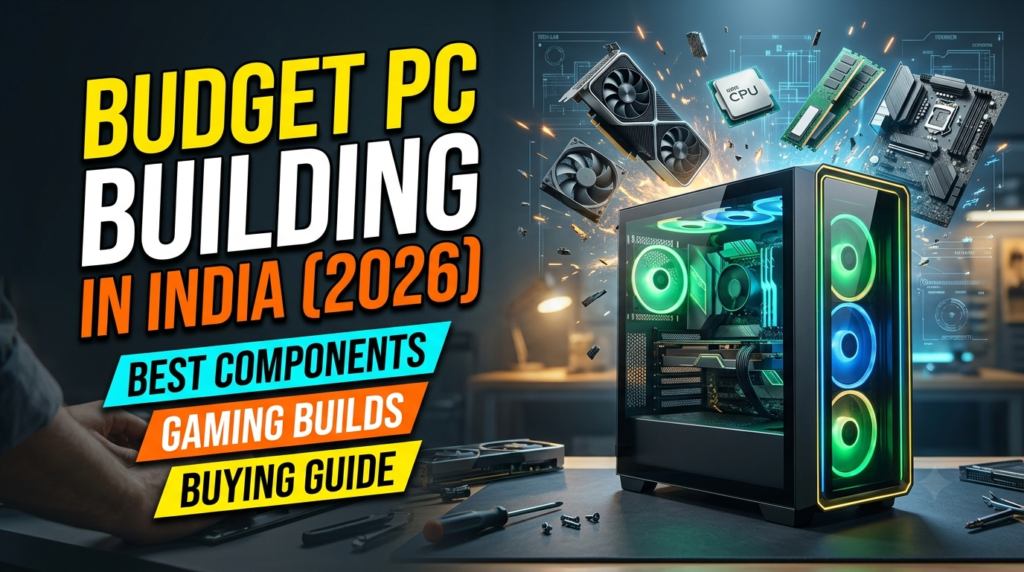
Building your own PC can be a great way to get good performance without spending too much money. Whether you need a computer for gaming, online classes, office work, video editing, programming, or everyday use, choosing the right components can help you build a powerful and upgradeable system within your budget.
In India, PC components are available at different price points, making it possible to build a computer according to your needs. You do not always need an expensive graphics card or a high-end processor to get started. A carefully selected budget PC can handle everyday tasks and several popular games.
In this guide, we will explore budget-friendly PC building in India in 2026, including affordable processors, graphics cards, RAM, storage, motherboards, power supplies, and complete PC build ideas.
Why Build Your Own PC?
Building a custom PC gives you more control over the components and performance of your computer.
Here are some important advantages:
- Better component selection: Choose the processor, graphics card, RAM, and storage according to your requirements.
- Upgrade flexibility: Replace or upgrade individual components when your budget allows.
- Gaming performance: Select hardware designed for the games you want to play.
- Better storage options: Add additional SSDs or hard drives when needed.
- Personalisation: Choose a cabinet, cooling system, and lighting according to your preference.
- Long-term flexibility: A well-planned build can support future upgrades without replacing the entire computer.
Important PC Components You Need
Before building a PC, it is important to understand the purpose of each component.
1. Processor (CPU)
The processor is the brain of your computer. It handles calculations, applications, multitasking, and many other operations.
For budget PC building, AMD Ryzen and Intel Core processors are popular options.
Some processors worth comparing include:
- AMD Ryzen 5 5600G
- AMD Ryzen 5 5600GT
- AMD Ryzen 5 5500
- Intel Core i3 series
- Intel Core i5 series
If you want to build a PC without a separate graphics card, choose a processor with integrated graphics. For example, the Ryzen 5 5600G includes Radeon graphics.
Remember that the Ryzen 5 5500 does not include integrated graphics, so it needs a separate graphics card to display an image.
2. Motherboard
The motherboard connects all the components of your PC. It determines which processors, RAM types, storage devices, and expansion cards your system can support.
For an affordable AMD AM4 build, A520 and B450 motherboards are options worth comparing.
Before buying a motherboard, check:
- Processor socket compatibility
- Supported RAM generation
- Number of RAM slots
- M.2 SSD support
- USB and display connections
- Expansion slots
- BIOS compatibility
A more expensive motherboard does not automatically make your PC faster. Choose one that supports your processor and future upgrade requirements.
3. RAM (Memory)
RAM helps your computer run applications and manage multiple tasks.
For a new budget PC in 2026, 16GB RAM is a sensible starting point for general use and entry-level gaming.
Recommended configurations include:
- 8GB RAM for very basic budget systems
- 16GB RAM for everyday use and gaming
- 32GB RAM for heavier multitasking and professional workloads
If your processor uses integrated graphics, dual-channel memory is especially important. Two matching 8GB RAM sticks can provide better graphics performance than a single 16GB stick in many integrated-graphics systems.
4. Storage (SSD)
Storage determines how much data your computer can save. It also affects system startup and application loading times.
An SSD is generally a better choice than an old mechanical hard drive for your main operating system.
Popular storage options include:
- 256GB SSD for basic use
- 500GB or 512GB SSD for budget gaming
- 1TB SSD for larger game libraries and work files
An NVMe SSD is worth considering if your motherboard supports it.
5. Graphics Card (GPU)
The graphics card handles visual processing and is particularly important for gaming, 3D design, and video editing.
There are two main options:
Integrated Graphics: Built into certain processors. They are useful for basic gaming and everyday tasks without buying a separate graphics card.
Dedicated Graphics Card: A separate component with its own graphics memory. It generally provides much better gaming and graphics performance.
If your budget is limited, you can begin with a processor that includes integrated graphics and add a dedicated GPU later.
6. Power Supply (PSU)
The power supply provides electricity to all the components in your computer.
Never choose a PSU only because it has a high wattage number or a low price.
Consider:
- A reputable manufacturer
- Appropriate wattage for your components
- Good independent reviews
- Suitable safety protections
- An adequate warranty
- 80 PLUS efficiency certification where available
A reliable power supply is important for system stability and component protection.
7. PC Cabinet
The cabinet holds all your PC components. It also affects airflow, cooling, cable management, and the overall appearance of your setup.
Before purchasing, check motherboard size compatibility, graphics card clearance, CPU cooler height, and fan support.
A cabinet with a mesh front panel and good ventilation can be useful for maintaining airflow.
Best Budget PC Build Ideas in India in 2026
The following configurations are starting points for different budgets. Actual prices depend on the retailer, component availability, and ongoing offers.
1. Budget PC for Everyday Use
<escape>Estimated budget: ₹25,000–₹30,000 (tower only)</escape>
This type of PC is suitable for students, office work, browsing, online classes, and basic multitasking.
Suggested components:
| Component | Recommended configuration |
|---|---|
| Processor | Entry-level processor with integrated graphics |
| Motherboard | Compatible budget motherboard |
| RAM | 8GB–16GB DDR4 |
| Storage | 500GB SSD |
| Graphics | Integrated graphics |
| PSU | Reliable branded PSU |
| Cabinet | Basic airflow cabinet |
This build is suitable for everyday applications, documents, web browsing, and video streaming. Gaming performance will be limited, especially in demanding titles.
2. Budget Gaming PC Under ₹40,000–₹45,000
This is an interesting starting point for people who want a budget gaming PC without purchasing a dedicated graphics card immediately.
Suggested components:
| Component | Recommended configuration |
|---|---|
| Processor | AMD Ryzen 5 5600G or 5600GT |
| Motherboard | A520M or compatible B450M |
| RAM | 16GB DDR4 (2 × 8GB) |
| Storage | 500GB–512GB NVMe SSD |
| Graphics | Integrated Radeon graphics |
| PSU | Quality 450W–550W unit |
| Cabinet | Airflow-focused Micro-ATX cabinet |
A processor with integrated graphics allows the computer to work without a separate GPU. This reduces the initial purchase cost.
You can use this system for everyday gaming, popular esports titles at suitable settings, office applications, and general entertainment.
Do not expect high graphics settings in demanding modern games. Integrated graphics have limitations, and actual performance depends on memory configuration, cooling, and game optimisation.
3. Budget Gaming PC With a Dedicated Graphics Card
<escape>Estimated budget: ₹55,000–₹65,000 or more (tower only)</escape>
If gaming performance is your main priority, a dedicated graphics card can make a significant difference.
Suggested components:
| Component | Recommended configuration |
|---|---|
| Processor | AMD Ryzen 5 5500 or Ryzen 5 5600 |
| Motherboard | Compatible B450 or B550 motherboard |
| RAM | 16GB DDR4 dual-channel |
| Storage | 500GB–1TB NVMe SSD |
| Graphics card | Suitable 1080p GPU |
| PSU | Quality 550W–650W unit, depending on GPU |
| Cabinet | Good-airflow cabinet |
The graphics card should receive a significant portion of your budget because it has a major effect on gaming performance.
Before purchasing, compare GPU performance, available VRAM, power requirements, and current prices. A graphics card that looks affordable may not be the best value if it has limited memory or poor performance in newer games.
Best Budget PC Components to Consider
Here are some component categories worth exploring when planning an affordable PC.
Budget Processors
- AMD Ryzen 5 5600G
- AMD Ryzen 5 5600GT
- AMD Ryzen 5 5500
- Intel Core i3 processors
Budget Motherboards
- A520M motherboards
- B450M motherboards
- H610 motherboards for compatible Intel processors
Budget Graphics Cards
- AMD Radeon RX 6600
- NVIDIA GeForce RTX 3050
- Other suitable entry-level or previous-generation GPUs, depending on price and availability
Budget Storage
- 500GB NVMe SSD
- 1TB NVMe SSD
- Additional SATA SSD for extra storage
Always verify compatibility before purchasing individual components.
How to Save Money When Building a PC
You can reduce the total cost of a PC build without compromising important components.
1. Start With Integrated Graphics
If you do not have enough money for a graphics card, consider a processor with integrated graphics. You can add a dedicated GPU later.
2. Avoid Unnecessary RGB Spending
RGB fans, premium lighting, and expensive cabinets can increase the cost without improving gaming performance.
Spend more on the processor, graphics card, RAM, and reliable PSU instead.
3. Compare Online and Offline Prices
Check multiple computer retailers before purchasing. Local PC stores may offer competitive prices or bundle discounts.
4. Choose the Right RAM Configuration
For an integrated-graphics PC, dual-channel RAM can improve performance. For a dedicated-GPU build, 16GB dual-channel RAM is a reasonable starting point.
5. Buy Only the Storage You Need
A 500GB SSD can be enough for a basic PC. You can add another drive later when your storage requirements increase.
6. Plan Future Upgrades
Choose a motherboard and power supply that can support your intended upgrades. This can reduce the need to replace major components later.
Common Mistakes to Avoid When Building a Budget PC
First-time PC builders sometimes make mistakes that increase costs or affect performance.
- Buying a processor that does not include graphics when no dedicated GPU is available.
- Choosing an incompatible motherboard.
- Purchasing a single RAM stick for an integrated-graphics build.
- Buying an unreliable power supply to save a small amount of money.
- Selecting a cabinet with poor airflow.
- Spending too much on RGB accessories.
- Forgetting to check the monitor’s connection compatibility.
- Ignoring the operating system, monitor, keyboard, mouse, and assembly costs.
Always check component compatibility before placing an order.
Is a Budget Gaming PC Worth Building in 2026?
Yes, a budget gaming PC can be a practical option if you choose components according to your requirements.
A PC with integrated graphics can provide an affordable starting point for casual gaming and everyday work. If you want better performance in demanding games, a dedicated graphics card is worth considering.
Another advantage of a custom PC is upgrade flexibility. You can start with 16GB RAM and a 512GB SSD, then upgrade storage, memory, and graphics hardware as your budget increases.
The most important thing is to balance your components instead of spending most of your money on just one part.
Final Thoughts
Building a budget-friendly PC in India in 2026 does not require an expensive setup. With careful component selection, you can create a computer for studying, office work, entertainment, gaming, and other everyday activities.
For a lower budget, a processor with integrated graphics can help you avoid the initial cost of a dedicated GPU. For better gaming performance, consider a balanced processor and graphics card combination with sufficient RAM and a reliable power supply.
Before purchasing anything, compare prices from multiple retailers, verify compatibility, and consider your future upgrade plans.
A smart PC build is not necessarily the most expensive one. It is the system that gives you the performance you need while staying within your budget.
Frequently Asked Questions (FAQs)
1. How much does it cost to build a budget PC in India?
A basic desktop tower may start around ₹25,000–₹30,000, while a more capable entry-level gaming build can cost around ₹40,000–₹45,000. A dedicated-GPU gaming PC generally requires a higher budget.
2. Can I build a gaming PC without a graphics card?
Yes. You can use a processor with integrated graphics, such as the AMD Ryzen 5 5600G. However, performance will be lower than a system with a suitable dedicated graphics card.
3. Is 16GB RAM enough for gaming?
16GB RAM is a reasonable starting point for many games and everyday applications. Some demanding games and professional workloads may benefit from more memory.
4. Which is better for budget gaming, AMD or Intel?
Both AMD and Intel offer suitable processors. Compare the exact processor, integrated graphics capability, motherboard cost, upgrade options, and real-world performance before choosing.
5. Is an SSD necessary for a gaming PC?
An SSD is strongly recommended. It helps improve system startup and game loading times compared with traditional mechanical hard drives.
6. Can I upgrade my budget PC later?
Yes. Depending on motherboard and power supply compatibility, you can upgrade the RAM, SSD, processor, and graphics card later.
7. Should I buy a prebuilt PC or build my own?
Building your own PC gives you more control over component selection and upgrade options. A prebuilt PC can be more convenient for people who do not want to assemble or troubleshoot hardware themselves. In either case, check the exact component models and warranty coverage.